

Download VentaFax & Voice – Free Fax & Voice Recording Software for Windows & Mac
Looking for a secure, reliable, and cost-effective way to manage your fax and voice communications? VentaFax & Voice is a powerful software tool that turns your computer into a fully functional fax machine and answering machine. Designed for both Windows and Mac users, this free software enables you to send and receive faxes, record voice messages, and even access your system remotely using touch tones.
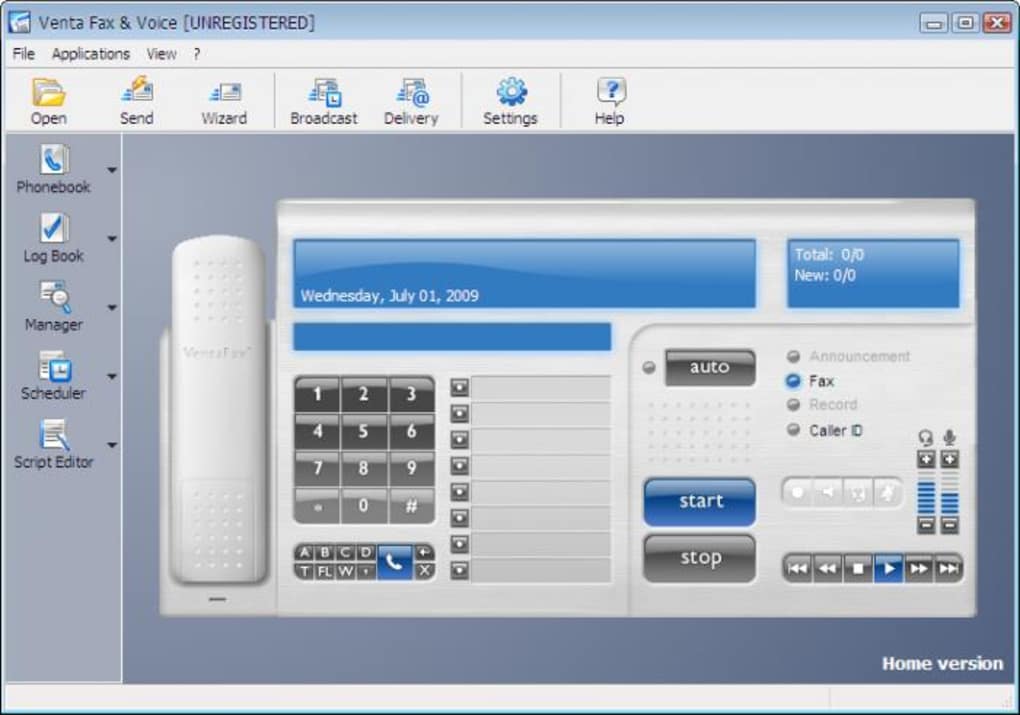
With its intuitive, real-time interface that mimics a modern fax machine, VentaFax & Voice delivers a seamless user experience. Whether you're a small business owner, a remote worker, or a professional needing secure document transmission, this tool offers a modern alternative to outdated fax hardware. The software works with any standard modem, making it easy to set up without additional equipment.
It’s a must-have for users who value privacy, efficiency, and digital convenience in their communication workflows.
Why Choose VentaFax & Voice for Your Communication Needs?
VentaFax & Voice stands out in the crowded field of communication software by combining multiple functionalities into a single, streamlined application. At its core, it transforms your computer into a complete fax and voice management system—eliminating the need for physical fax machines, bulky hardware, and expensive monthly fees. The software supports both sending and receiving faxes with high accuracy and reliability, ensuring that your documents are transmitted securely and clearly. One of its most impressive features is the real-time interface, which emulates a modern, high-tech fax machine. You can interact with the software by clicking on virtual buttons, just like a physical device, making navigation intuitive and familiar for users who have used traditional fax machines before.
Another standout feature is its remote access capability via touch tones. This allows you to check messages, retrieve faxes, or even manage your voicemail from any phone, making it ideal for users who travel frequently or work remotely. The built-in voice recording system lets you capture incoming calls, store them in your digital archive, and replay them at any time—perfect for legal documentation, client follow-ups, or personal reminders.
VentaFax & Voice also includes customizable settings for call answering, automatic fax reception, and message prioritization, giving you full control over your communication workflow. With support for both Windows and Mac, and compatibility with any standard modem, the software is highly accessible and easy to integrate into existing systems. Whether you're managing a home office or a small business, VentaFax & Voice delivers professional-grade functionality without the overhead.
How to Install and Use VentaFax & Voice on Your Computer
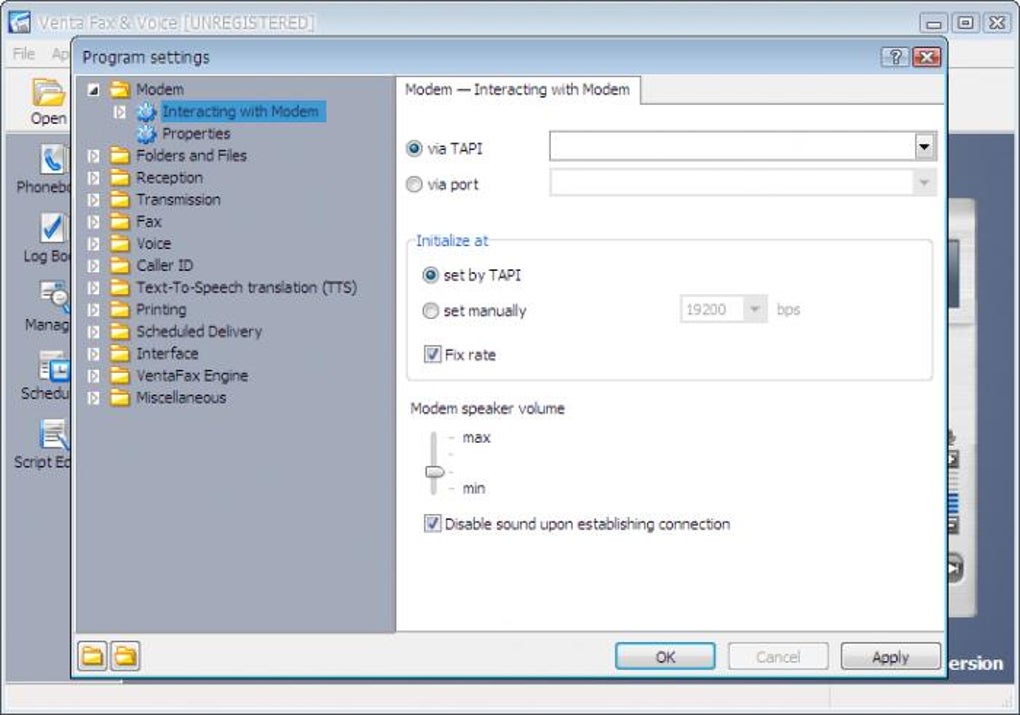
Getting started with VentaFax & Voice is straightforward, especially if you already have a working modem connected to your computer. First, download the software from the official website—available for both Windows and Mac platforms. The installation process is quick and guided, requiring minimal technical knowledge. Once installed, launch the application and go through the initial setup wizard, which will detect your modem and configure it automatically. If your modem isn’t recognized, the software provides troubleshooting tips and compatibility checks to help resolve the issue.
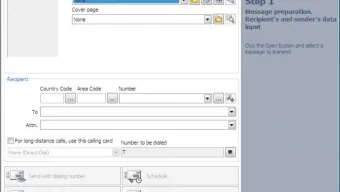
After setup, you’ll be greeted by the sleek, interactive interface that mimics a real fax machine. From here, you can send a fax by selecting a document, entering the recipient’s fax number, and clicking “Send.” The software will handle the rest, including confirmation of successful delivery. To receive faxes, simply enable the auto-answer feature, and the system will pick up incoming calls and save incoming faxes to your designated folder. You can also set up voice messages by pressing the “Record” button on the virtual interface. The recordings are saved in high-quality audio format and can be organized by date, caller, or category.
For remote access, dial into your computer using a touch-tone phone and follow the voice prompts to retrieve messages or view received faxes. This feature is especially useful for checking your inbox while on the go. Regular updates are available to ensure compatibility with new operating systems and to enhance security. The software is free to download and use, though advanced features may require a paid upgrade. Overall, the combination of ease of setup, intuitive design, and powerful functionality makes VentaFax & Voice a top choice for digital communication.
Compatibility, Security, and System Requirements
VentaFax & Voice is designed to work seamlessly across multiple platforms, offering full compatibility with Windows 7 and later (including Windows 10 and Windows 11) and Mac OS X 10.12 or higher. This broad support ensures that users on both desktop and laptop systems can leverage the software regardless of their operating environment. The application requires a standard analog modem (internal or external) to function, as it relies on traditional phone lines for fax transmission and voice calls. While most modern computers no longer include built-in modems, external USB modems are affordable and widely available, making it easy to add this functionality to any machine.
Security is a top priority in VentaFax & Voice. All incoming and outgoing faxes are encrypted during transmission, and stored messages are protected with password access. The software also includes spam filtering and caller ID recognition to prevent unwanted calls and ensure that only authorized users can access the system. Automatic backups can be scheduled to prevent data loss, and the software integrates with cloud storage solutions for added redundancy. With regular updates, the developers ensure that the software remains secure against emerging threats and maintains optimal performance.
System requirements are modest, making VentaFax & Voice suitable for older machines as well. You’ll need at least 1 GB of RAM, 50 MB of free disk space, and a stable internet connection for updates. The software does not require a constant internet connection to operate, as it uses your phone line for communication—ideal for users in areas with unreliable broadband. Whether you’re running a small business, managing a home office, or working remotely, VentaFax & Voice delivers reliable performance without taxing your system resources.
Pros and Cons of Using VentaFax & Voice
- Pros:
- Turns your computer into a full-featured fax and voice recording system
- Intuitive, real-time interface that mimics a modern fax machine
- Supports remote access via touch tones—ideal for mobile users
- High-quality voice recording and secure message storage
- Compatible with any standard modem and both Windows and Mac
- Free to download and use with optional paid upgrades
- Regular updates ensure security and compatibility
- Cons:
- Requires a physical modem—may not work on modern laptops without an adapter
- Interface may feel outdated to users unfamiliar with traditional fax machines
- Setup can be challenging for users without prior modem experience
- Remote access requires a landline phone connection, not mobile
- Limited support for modern VoIP services or cloud faxing
Frequently Asked Questions (FAQ)
Can I use VentaFax & Voice without a modem?
No, VentaFax & Voice requires a standard analog modem to send and receive faxes over traditional phone lines. It does not support VoIP or internet-based faxing. If your computer lacks a built-in modem, you can use a USB external modem.
Is VentaFax & Voice safe to download and use?
Yes, the official version of VentaFax & Voice is free from malware and viruses. Always download from the official website to ensure you receive the secure, verified version of the software.
Can I access my faxes and voice messages remotely?
Yes, you can access your messages remotely using touch-tone phone calls. Dial into your computer’s phone line, follow the voice prompts, and retrieve faxes or listen to voice recordings from anywhere.
Does VentaFax & Voice work with Mac computers?
Yes, VentaFax & Voice is fully compatible with Mac OS X 10.12 and later versions. It supports both Intel and Apple Silicon Macs.
Can I send faxes to international numbers?
Yes, you can send faxes to international numbers as long as your modem supports international dialing and you have the correct country codes and access permissions.
Final Verdict: Is VentaFax & Voice Worth It?
For users still relying on fax communication—especially in legal, medical, or financial sectors—VentaFax & Voice is a powerful, cost-effective solution. It eliminates the need for physical fax machines, reduces paper waste, and provides a secure, centralized system for managing both faxes and voice messages. While it does require a modem and a landline, the benefits far outweigh the minor setup hurdles. Its intuitive interface, remote access, and strong security features make it a standout choice in the world of digital faxing.
If you're looking for a reliable, free software tool to modernize your fax and voice workflow, download VentaFax & Voice today and experience the future of communication—without the hardware.







